
Chrome REMOTE DESKTOP is very handy for us presenters. It allows us to access the MainFM computer network remotely, which is useful for all kinds of reasons, eg overseas user access, last minute emergencies, tech access, show planning, folder management, saving unnecessary trips to the station for small tasks…and the list goes on.
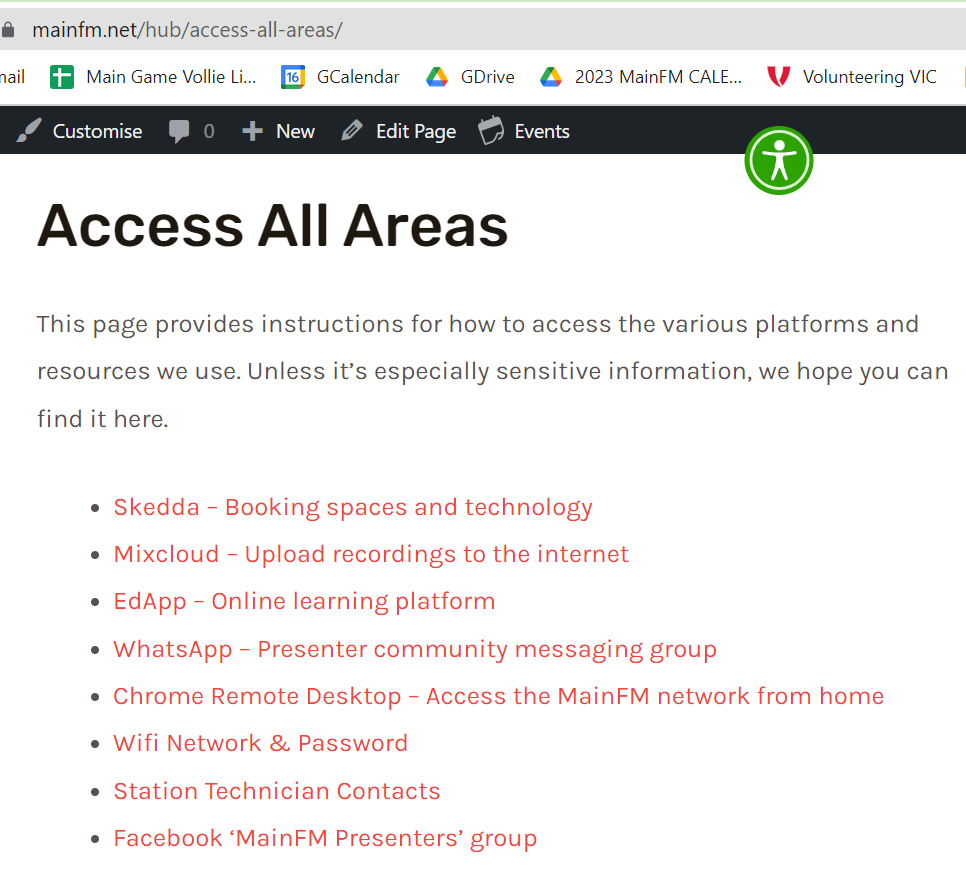
If you don’t know about it, or how to set it up to use it, the image below shows where you can find instructions on The Hub.
So how best to use it?
There are over a hundred potential users, but only one person can use Chrome Remote Desktop (CRD) at any one time. If two or more people access it at once, it’s literally like sharing a single laptop between 2 or 3 people – impossible.
People who do use it sometimes do so to do complex and time-consuming edits of shows and other audio, so it’s necessary to respect this work and allow users to finish and save things properly. People have been ‘kicked off’ too early, or their files have been changed without warning. These situations must be avoided however possible.
The great news is that it’s actually pretty simple to use CRD fairly and respectfully.
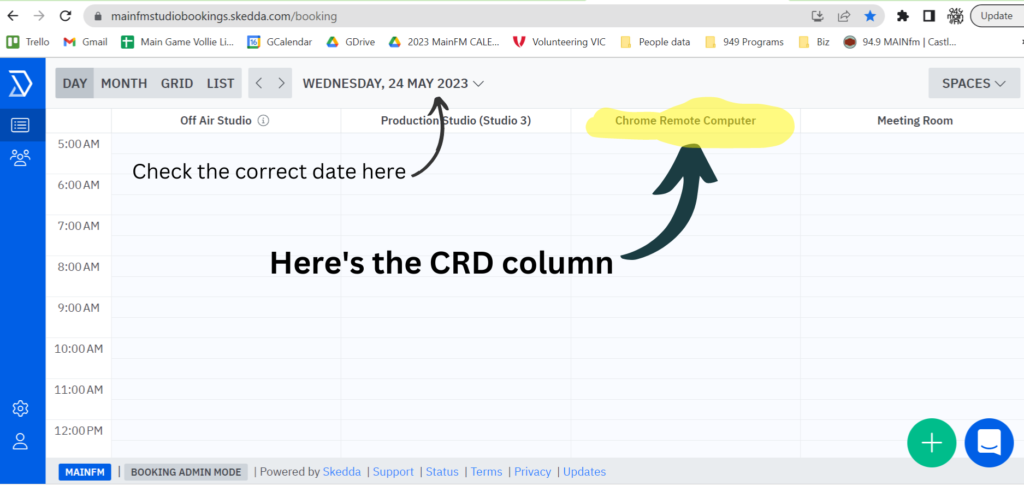
We have a booking system called Skedda. We use this to book 30 minute blocks of time on CRD.
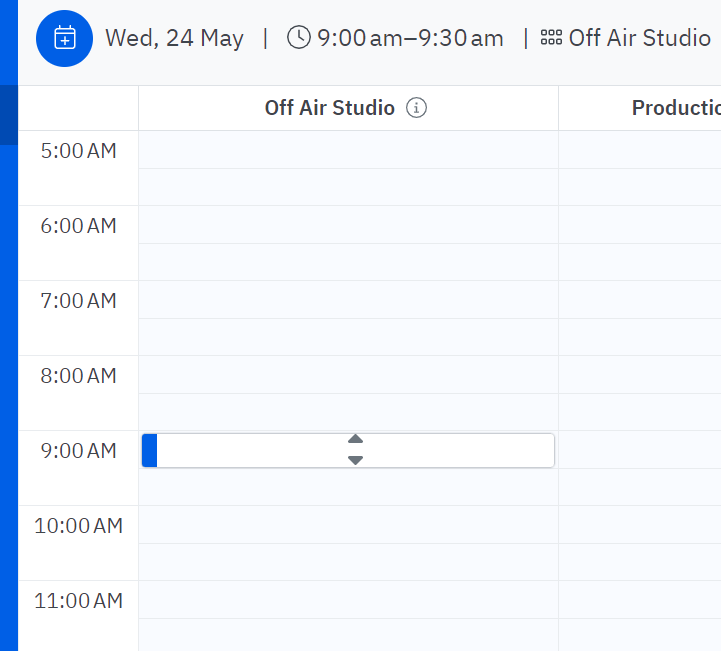
When you click on a time in the studio space you want to use, you have this bar appear, as below at 9am:
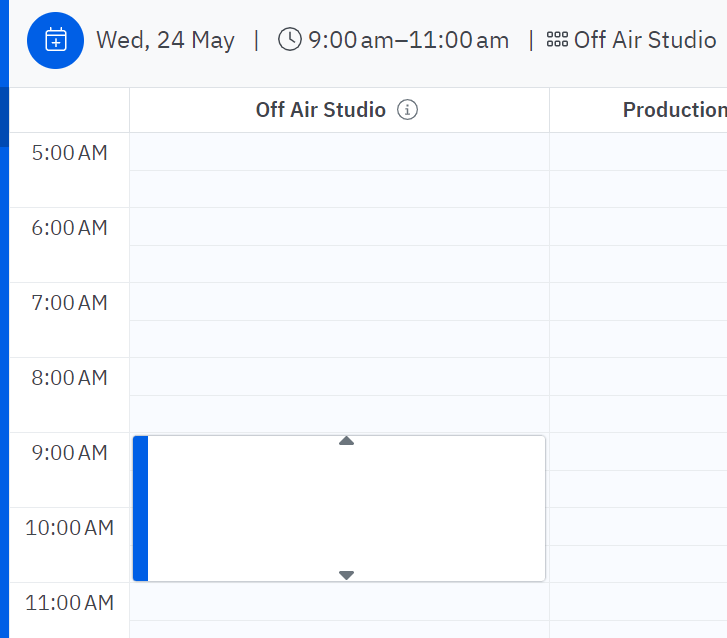
You can grab the small grey arrows to extend the booking. 30 minutes is minimum and 3 hours is max:
When you select the time you’ve chosen, you’ll see this next window. You can enter your name on the booking so people know who’s using it:
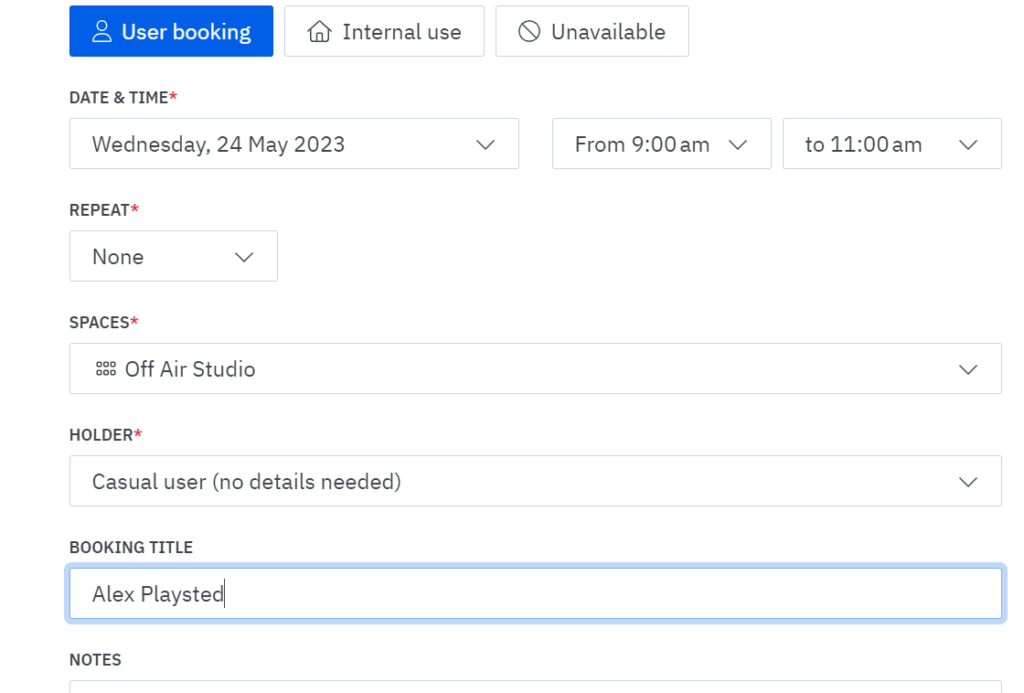
After that, your booking is saved, like so:
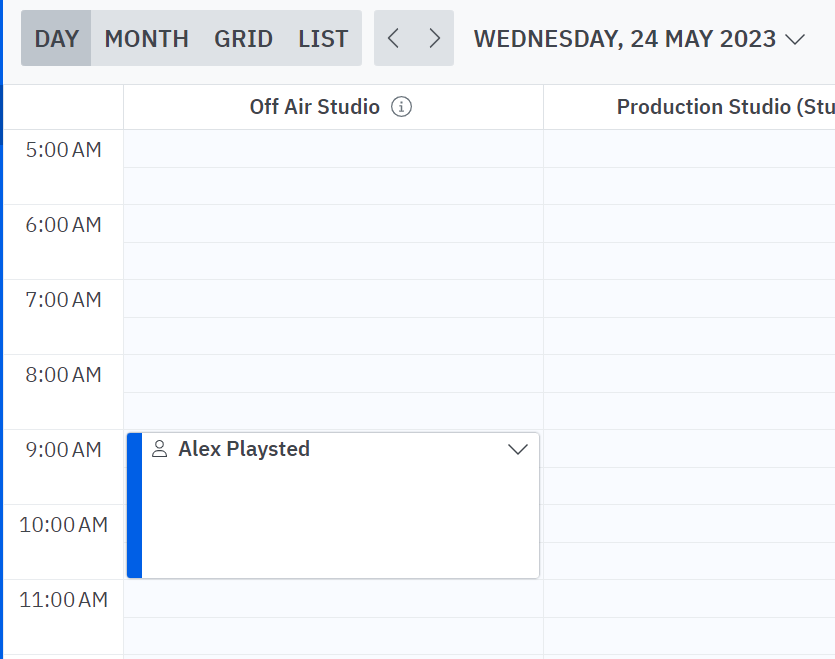
When it comes to using CRD, only after you’ve checked Skedda and made your booking at an available time, you should see this screen when you enter:

To be extra clear while using CRD, you have the option to select the icons indicated by the yellow arrows to bring up this user notice. Just remember to clear or reduce it once you’ve finished so as not to confuse the next users.
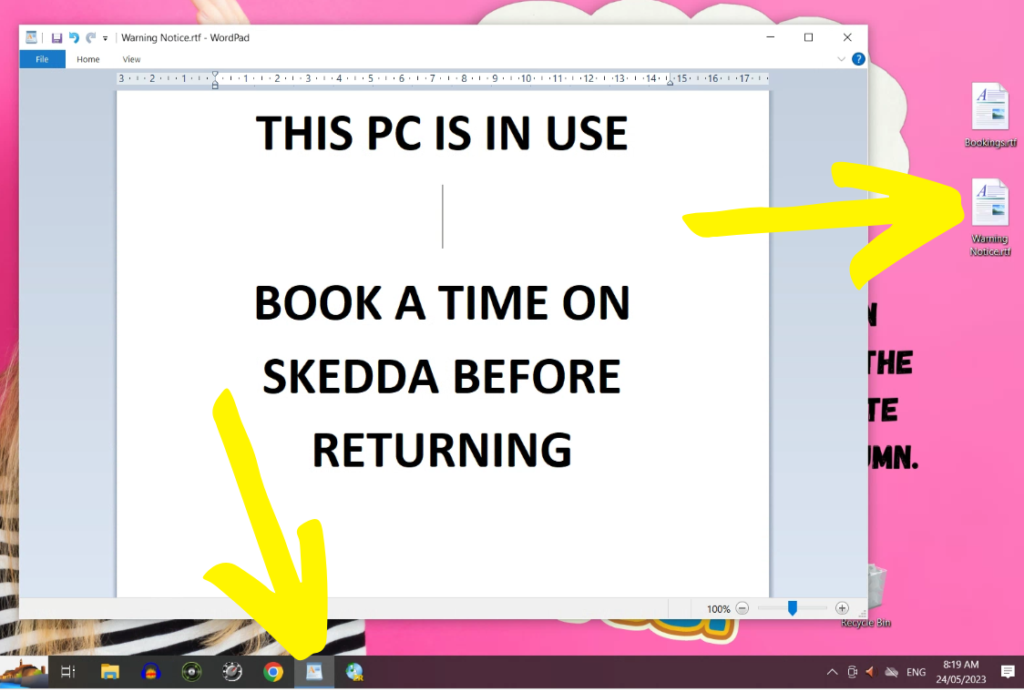
So please remember – check and book first. Those with a booking have priority. Respect other users and remember there are many of us who benefit from using this very helpful resource.
If you’re ever unsure or would like some help, search for your answer on the Hub or reach out for Alex, Steve or fellow presenters who you know use CRD, too.
Yes! I’ve actually been guilty of both session bombing and booted off. I usually book. Liked the way you explained how to use the booking system, ta…
poor grammar…”had both happen: session bombing…”